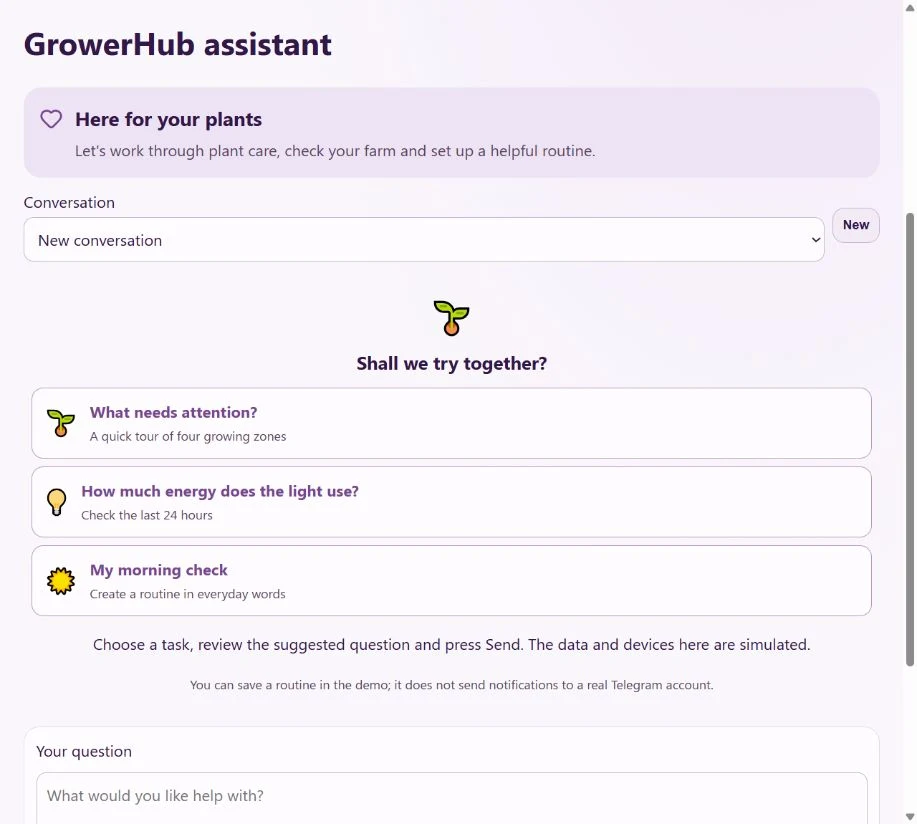
Sometimes trying a feature is easier than reading a list of what it does. The demo already has four growing zones, plants, sensors and different histories. You do not need equipment to explore it.
Open the assistant on the demo farm. Choose one of the three cards, review the question and press Send. You can edit the question first. Selecting a card does not send anything or operate devices.
Start with a quick tour
What needs attention? asks the assistant to review four zones, choose two and report their current readings. It gives you a starting point before you open individual charts.
Demo readings are simulated. On your own farm, the same question uses your connected devices. If a sensor has been offline, the age of its last reading matters too.
Check the light's energy use
How much energy does the light use? asks about the last 24 hours. The assistant finds the first zone's light, reads the available statistics and explains gaps in the record.
On a real shelf, this requires a plug that measures power. A calendar-day total can differ from a rolling 24-hour period: today is still in progress and the history may contain connection gaps.
Create a morning check
My morning check prepares a daily notification at 09:00 in the farm's time zone. The proposal shows the name, time, message and disabled state. Review it, press Confirm, then open Routines to find the saved rule.
This example creates a routine in everyday language without commands to lights or pumps. The demo saves the rule but does not send messages to a real Telegram account. On your own farm, connect Telegram separately in settings.
A single reading is only part of the story
Soil was wetter this morning and drier this evening. How much did it change? Was there a sudden jump? Try asking:
Read the soil moisture history in the Tomatoes zone for the last 24 hours. How did it change, and were there any gaps? Do not change anything.
The assistant receives saved readings, the period, units, minimum, maximum and change. You can also ask about temperature or air humidity, compare zones, or explore several days. Available history depends on what has been recorded; the assistant can read up to 90 days.
Compare soil moisture percentages with familiar values from the same sensor in the same pot. Sensors and growing media can have different scales. To discuss watering, add the plant, growing medium and what you found when checking the soil yourself. Averaged history can miss short peaks, and a connection gap does not mean conditions stayed unchanged.
Request something you are missing
Explain what you want to do. For example: “I need monthly fertilizer use by plant. Prepare a request for the team so I can plan purchases.”
The assistant shows a title, the task and its benefit. If the wording is wrong, ask for a revision and confirm the new card. Send request shares only the displayed text and your account number with the team. Your entire conversation and photos are not forwarded automatically.
The request appears in the admin panel for review and a recorded decision. Later you can ask: “What is the status of my feature requests?” Sign in to send a request; this also works from a saved demo. Requests help us choose improvements, with implementation decided after review.
Keep going
Guest demo access includes up to three messages per 24 hours. Your remaining allowance appears below the input; a shared service limit may also pause replies. Save the demo to your account to keep your changes, or start a plant diary without equipment.
Read about photos, Telegram and confirmations in the assistant guide.