Two plant shelves can have different mornings. One lamp comes on at seven, the other an hour later. You would like them to go dark at different times, too. One timer was enough for the windowsill; with two growing areas, there is more to keep track of.
In GrowerHub, you can describe that day to the assistant in ordinary words. It prepares separate proposal cards for you to check. We tried it on the demo farm: two new schedules, both left off while we reviewed the result.
Give each zone its own day
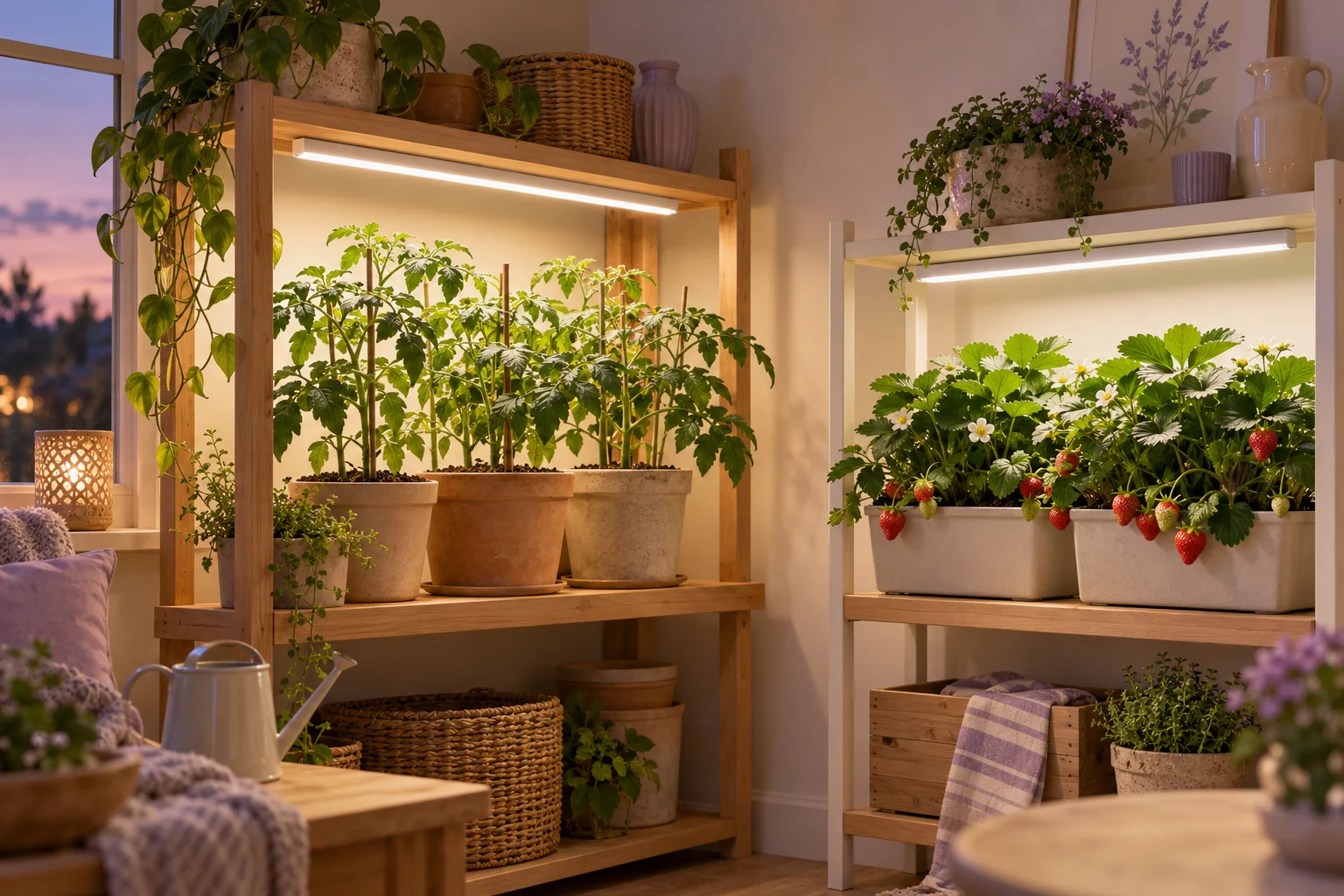
The demo has a tomato zone and a strawberry zone, each with a grow light. The zone names below are translated; use the names displayed on your farm. These were the times in our test:
| Zone | Light each day |
|---|---|
| Tomatoes | 07:00–21:00, 14 hours |
| Strawberries | 08:00–20:00, 12 hours |
The hours are an example for testing the setup. Choose a light period for your own plants, growth stage and conditions, then give the assistant those times.
We also asked it to leave existing schedules alone and keep the new ones disabled. That gives us room to review both cards before anything runs.
Ask for both schedules together
Here is the request in English, with the zone names translated:
On the demo farm, prepare two new disabled lighting rules. For the “Tomatoes” zone, name the rule “Tomato light — example”: turn the lamp on every day at 07:00 and off at 21:00. For “Strawberries”, name it “Strawberry light — example”: on at 08:00 and off at 20:00. Use the farm time zone. Leave existing rules unchanged. Show the cards for review.
It spells out the zone names, separate times and the instruction to keep the rules off. There is no code to write or technical schema to fill in.
Russian and English requests using the demo’s original zone names produced matching cards, but the assistant did not finish its written explanation. The page explained that the proposals were available for review. We checked the cards themselves; confirmation and saving were verified with the Russian-language pair.
We followed up by spelling out both windows again and asking how many hours of light each meant, without changing settings. The answer was 14 hours for tomatoes and 12 for strawberries. Putting the times into the question made this a useful check within the conversation.
Read the cards before confirming
Check three things on each card:
- The zone and lamp. The tomato grow light should belong to the tomato zone.
- The start and the complete cycle. Tomatoes: start daily at 07:00, switch on, wait 14 hours, switch off. Strawberries: start at 08:00, wait 12 hours, switch off.
- The time zone and saved state. Our demo showed Europe/Moscow. Both new proposals needed to stay disabled, as requested.
The card currently expresses a long wait in seconds and the total duration in minutes. A 50,400-second wait and an 840-minute cycle mean 14 hours; 43,200 seconds and 720 minutes mean 12 hours. Check that the final switch-off is part of the cycle.
If the assistant picks the wrong lamp or time, explain the correction before confirming. Leave a card with the wrong conditions unconfirmed.
Saving a rule does not turn it on
We confirmed both Russian-language proposals, then opened their details from the rules page. Each appeared in the right zone with the status Disabled. Existing schedules stayed in place, and the new rules did not start the lamps.
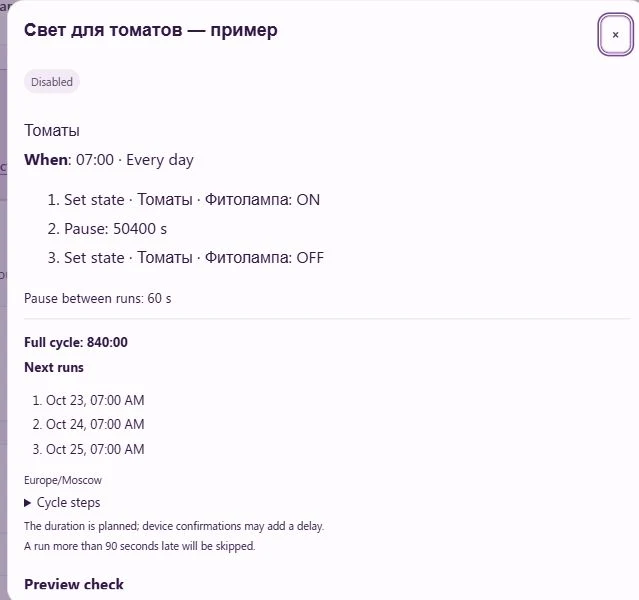
The demo also revealed something useful: its built-in Lighting schedule already controlled each lamp. The new rule's check identified that existing owner of the channel. Saving a different time does not replace the schedule that is already running.
For your own setup, decide which schedule should control the lamp and read the card's warnings before enabling a replacement. The guide to rules and temporary control explains how different rules work together. We left both new demo rules disabled for this walkthrough.
Try your pair of times
A conversation lets you start with the day you actually want: which shelf wakes first and when each light should go out. The cards let you check that those words became the right schedule.
Open the assistant on the demo farm, send the request above and compare both cards with your intended times. A complete first try is to review a proposal and save it disabled.