GrowerHub brings extensive practical experience in greenhouse automation into one dashboard: sensors, smart plugs, zones, history and control scenarios. Get started independently and for free. If you need help, message us in Telegram in Russian or English.
Zigbee2MQTT transmits a list of devices and their available metrics without manually setting each model.
Collect your zones
Create rooms, greenhouses and grow boxes using only a name, then assign discovered devices.
Follow changes
See current values, connection status and reading history in one interface.
Manage gradually
Start with manual commands, then add light schedules and climate thresholds.
Platform capabilities
several isolated Zigbee coordinators in one user space
direct connection of a new installation Zigbee2MQTT via MQTT with TLS encryption
local bridge for existing Zigbee2MQTT and Home Assistant without replacing local MQTT
automatic discovery of devices, metrics and allowed commands
zones, dashboard, reading history and manual control
lighting schedule and climate thresholds; plants remain an additional function
MQTT and Zigbee2MQTT
GrowerHub works with Zigbee2MQTT data. Every discovered device is shown with its available metrics, while unknown or unverified commands remain read-only. Most cloud-based Tuya Wi-Fi sensors cannot be reconfigured to use third-party MQTT.
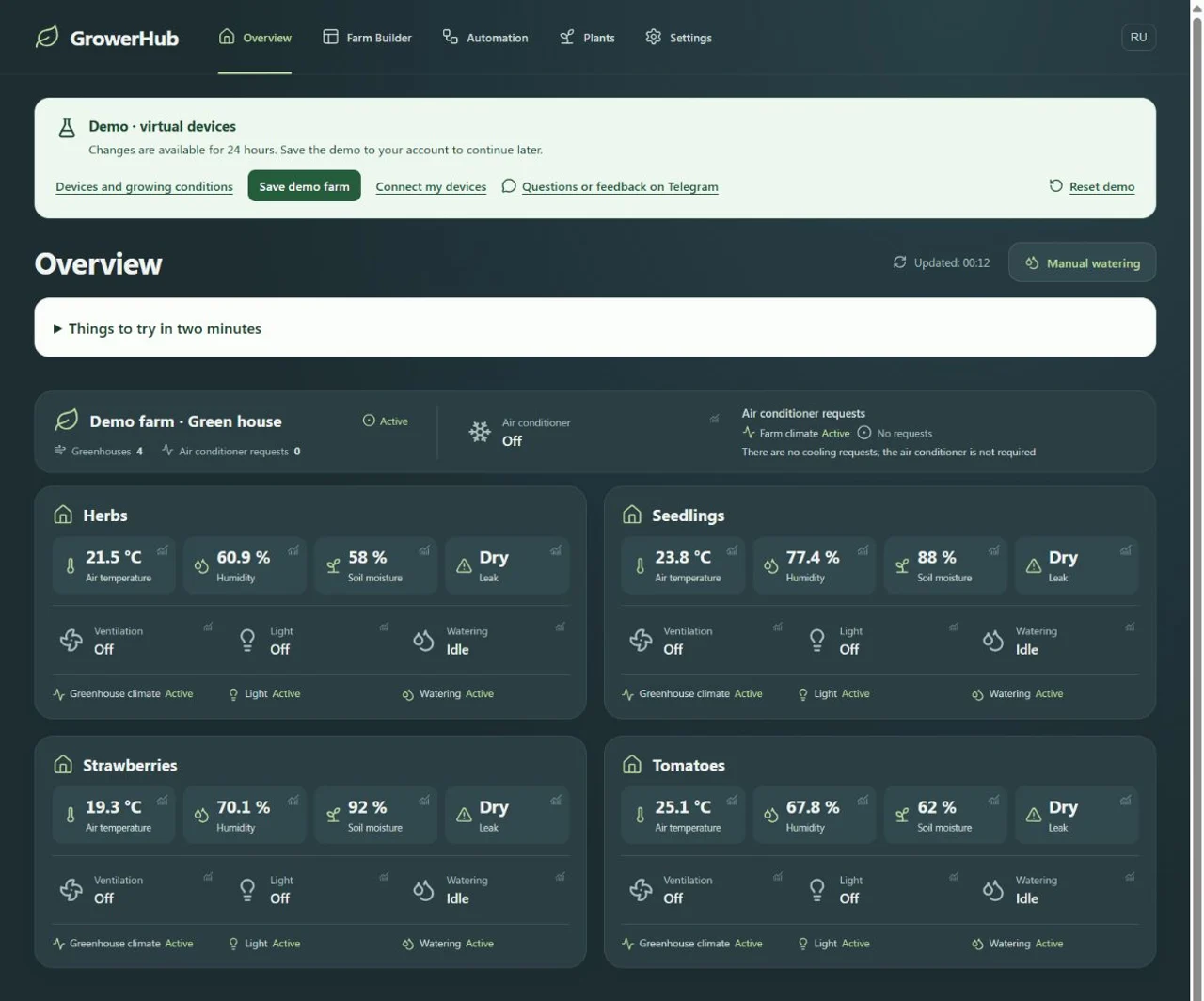
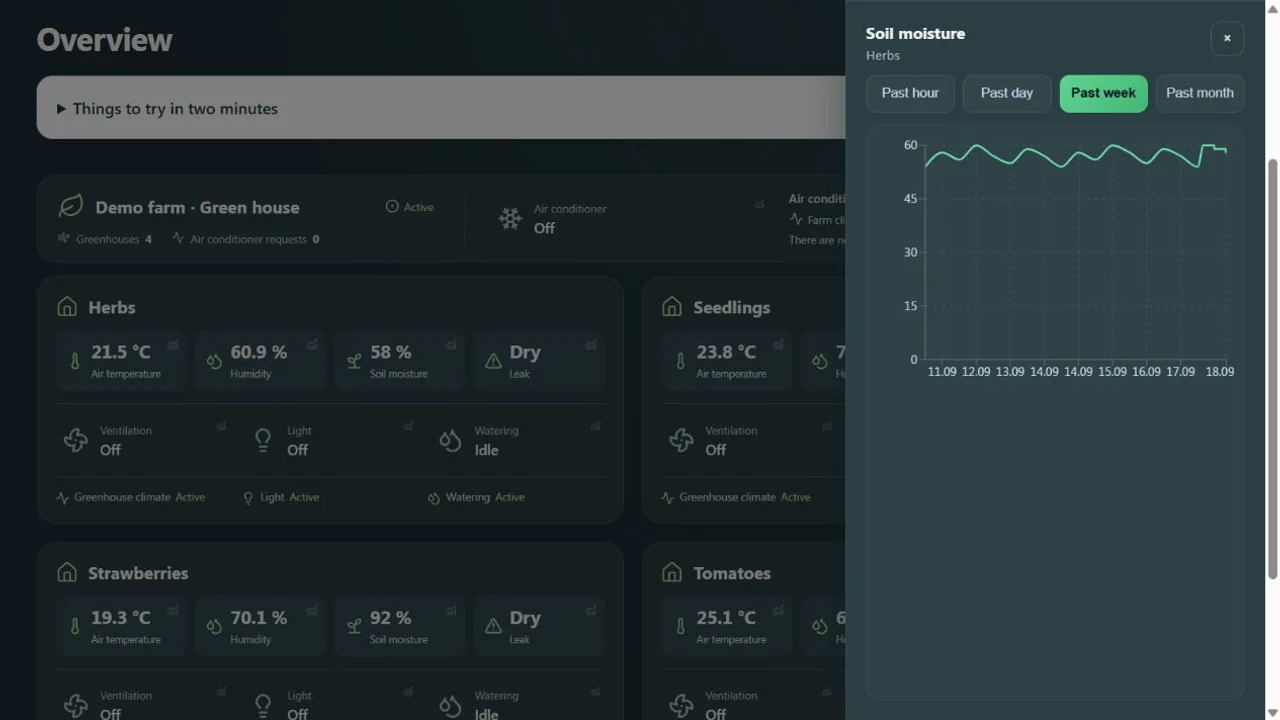
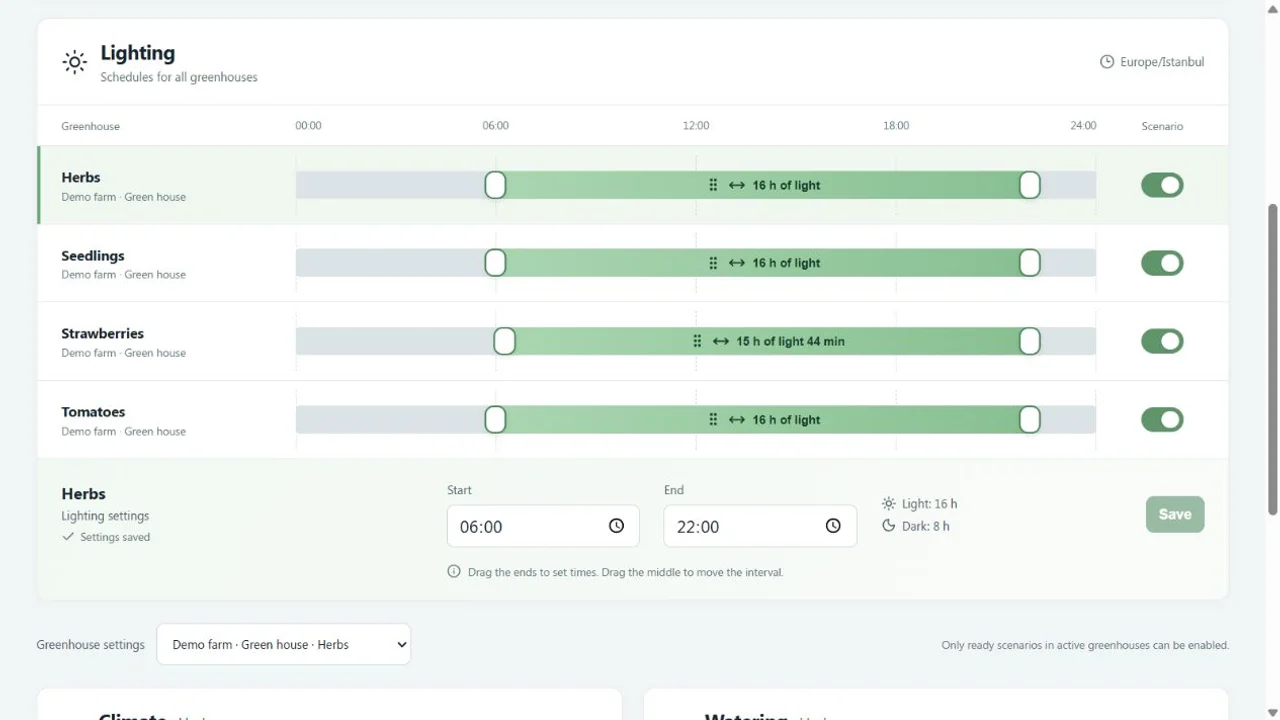
These screens were captured in a GrowerHub demo farm. Devices and readings are simulated; management screens, charts and scenarios are shared with your own farm.
Farm overviewFour greenhouses and equipment state in the regular dashboard. Demo readings are simulated.Sensor historySeven days of temperature in the shared history panel, generated by the running simulator.DevicesVirtual controllers and Zigbee devices in the regular equipment list.AutomationsLighting, climate and irrigation settings in the same forms used by a real farm.
From sign-in to the dashboard
1. LoginUse Yandex or Google without a payment card or a questionnaire about plants.
2. CoordinatorCreate a connection and select a new installation or local bridge.
3. PackageChoose Windows, Raspberry Pi/Linux or a manual Zigbee2MQTT configuration.
4. DevicesWait for connection and existing devices to appear automatically, or allow new devices to connect for three minutes.
5. ZoneEnter a name, distribute devices and open the dashboard.
6. AutomationOptional: enable tested scenarios one at a time.
Good to know
GrowerHub supports Zigbee2MQTT devices and is constantly expanding the catalog of proven models and scenarios.
Commands are only available for verified control capabilities; the unknown device remains visible but is read-only.
For equipment with water and mains power, use water protection, check the load and provide a physical emergency shutdown.
Watering is turned on after assigning a humidity sensor, pump and protective restrictions.
We are here if you need help
Message us in Telegram — we can help connect equipment, explain features and set up GrowerHub for your farm in Russian or English.